Your voice is part of who you are.
You can keep it.
A dear friend of mine has Parkinson’s. As her speech began to change, I watched her family realize — too gradually — what was quietly at stake: the sound of her telling a story, teasing her husband, saying goodnight. This page exists so your family never has that realization too late.
This is not about making a “cool artificial intelligence (AI) clone.” It is about dignity, identity, future communication, and love.
Four tools, honestly compared
These terms get muddled everywhere else. Here is the clean version.
| Approach | What it is | Best for |
|---|---|---|
| Save recordings of your own words (sometimes called message banking) | Recording specific, meaningful phrases in your own voice, exactly as you say them — “I love you,” your loved ones’ nicknames, your laugh. | Everyone. Start here today with the phone in your pocket. Nothing is more authentic than the real recording. |
| Voice banking | Recording a structured set of sentences that builds a synthetic voice for assistive speech devices. | Anyone with a diagnosis that may affect speech (Parkinson’s, amyotrophic lateral sclerosis or another motor neuron disease, throat cancer). Best done early, while speech is strong. |
| AI voice cloning | A flexible digital voice built from recordings (services like ElevenLabs) that can speak new sentences in your voice. | Legacy messages, narrating your memoir, assistive use. Note: ElevenLabs offers free access for people with amyotrophic lateral sclerosis or another motor neuron disease through programs like Bridging Voice — worth checking if that applies to your family. |
| Avatar | An AI-generated video version of you (services like HeyGen), usually paired with a cloned voice. | Video messages and projects. I use one for my YouTube channel — openly, with my real voice, and I’ll show you exactly how. |
What to record first
You don’t need equipment. Your phone’s voice memo app and a quiet room are enough to begin.
- The unmistakably-you phrases. How you answer the phone. The nicknames you use for people you love. The thing you always say leaving the house.
- One story only you can tell — how you met your spouse, the day each child was born, the family disaster that became the family legend.
- The recipe, narrated. Not the ingredient list — the asides. “Your grandfather always tried to steal the dough right here.”
- Messages for future occasions: weddings, graduations, eighteenth birthdays, “open when you miss me.”
- The “if speaking ever becomes hard” messages — the reassurances you’d want on hand: “I’m still me. Be patient with me. I love you.”
Record Your Stories in Your Own Voice shows you how to record one short story on your phone, offers twelve ideas, and helps you save and share the audio.
Consent, safety, and the talk worth having
A voice is intimate property. Before anyone creates or uses a digital version of yours — including family with good intentions — settle these questions together:
- Consent: Who may create it, and for what purposes? Ongoing consent, in writing, revocable.
- Custody: Who holds the recordings and account passwords? Where does that live in your estate documents?
- Boundaries: What may the voice never be used to say or sign? Write it down.
- The safe word: The same technology that preserves a voice can impersonate one. Every family doing legacy work also needs a verification phrase — the two projects are a matched set.
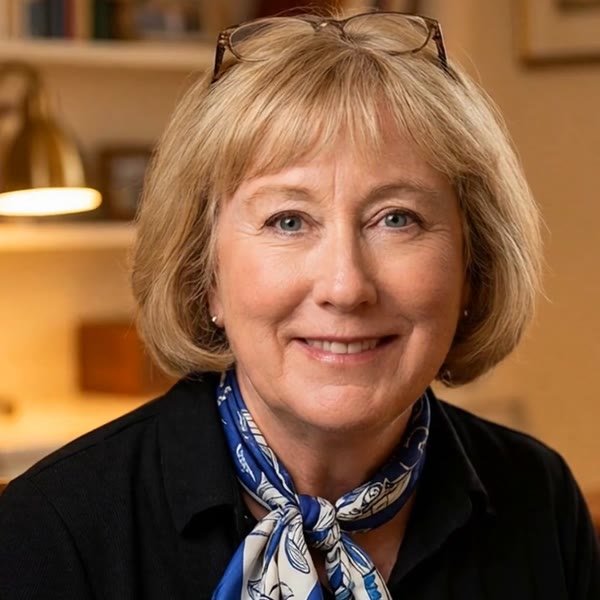
“A familiar voice is not proof of identity. If a call asks for money or secrets, pause and call back on a number you already know. The lawyer in me likes verification; the rest of me likes sleeping at night.” — Gay
A dignified recording session, step by step
1. Choose a quiet hour
Morning voices are strong voices. Turn off the dishwasher, silence the phone, sit where you’re comfortable. A closet full of clothes is, genuinely, a fine recording studio.
2. Talk to someone, not at a device
Prop up a photo of the person the message is for. Speak to them. The warmth is the point — perfection is not.
3. Keep the outtakes
The false starts, the laugh when you lose your place — families treasure these most of all. Save everything.
4. Store it like it matters
Two copies, two places: your computer and a cloud folder a trusted person can reach. Label files clearly (“For Emma’s wedding”). Mention the location in your estate notes.
My honest notes
ElevenLabs (voice cloning): The current standard for natural-sounding cloned voices. Their professional clone needs about thirty minutes of clean audio. Check their pro bono programs for amyotrophic lateral sclerosis or another motor neuron disease before paying. Read the consent terms — they’re better than most, and you should still read them.
HeyGen (avatars): What I use for my channel. Good results, reasonable learning curve. My rule: I disclose the avatar every single time. You should too.
Your phone’s voice memos: Free, already installed, and the authentic recording will always be the most precious version. Start here regardless of what else you do.
Put this project on paper
- Voice & Avatar Legacy Checklist — the whole project on one elegant, print-ready page.
- Record Your Stories in Your Own Voice (printable file) — three pages to help you record, save, and share an audio keepsake.
- Family Safe Word Plan (printable file) — your phrase, your callback rule, signed by everyone.
More tools live in the Downloads Library — the written Consent & Safety Plan is arriving soon.
A boundary worth stating plainly
Only create or share a cloned voice or avatar with clear, ongoing consent from the person it represents. If a company’s terms are vague about who owns the voice afterward, walk away. There are good actors in this field; insist on one.