
Calm, clear-eyed protection — without the fear-mongering
Facts effective October 18, 2026 · re-checked every month
Artificial intelligence (AI) has made scams more convincing, not more clever. The underlying con is the same one it’s always been: manufactured urgency plus a request for money, information, or secrecy. I spent twenty-five years watching that trick performed in contracts; now it just phones ahead. You have decades of judgment. This page gives that judgment a system — and I promise you, the scammers got new tools, but they did not get new ideas.

A 30-second practice · Fictional example
Your phone buzzes. What next?
You weren’t expecting this text. What is the safest next step?

Practice guidance: Federal Trade Commission advice on unexpected text messages ↗. An urgent tone is a reason to pause, not a reason to hurry.

 The method
PAUSE — VERIFY — PROTECT — REPORT
Four steps, in order, every time something feels off. Print it. Refrigerator-worthy by design.
1 · Pause
Urgency is the con artist’s only real weapon. Anyone who demands you act right now — grandchild in jail, Medicare suspended, account compromised — has just identified themselves. Hang up. Close the email. Breathe. Nothing legitimate is ruined by a ten-minute pause.
2 · Verify
Contact the real person or institution through a channel you already trust: the number on the back of your card, the family phone number you know, the official website you type yourself. Use your family safe word. Never use the callback number the message gave you.
3 · Protect
Give nothing while you’re uncertain: no payments, no gift cards, no wire transfers, no codes texted to your phone, no remote access to your computer. Legitimate organizations survive your caution. Scams don’t.
4 · Report
Report attempts even if you didn’t lose a penny — it protects your neighbors. Federal Trade Commission at ReportFraud.ftc.gov, Federal Bureau of Investigation’s Internet Crime Complaint Center at IC3.gov, Medicare fraud at 1-800-MEDICARE. If money moved, call your bank immediately, then report.
The 2026 scam lineup
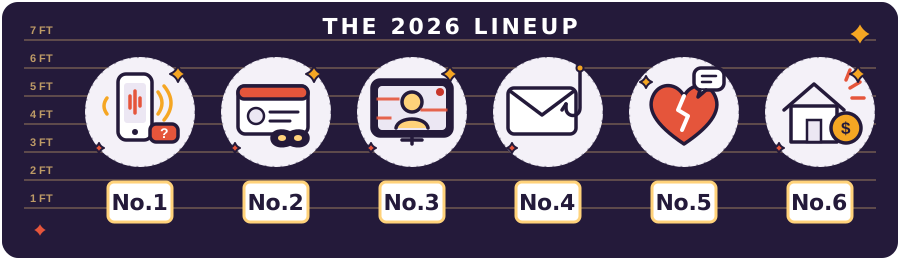
Six ways scammers may approach you, with practical steps you can take. You do not need to understand the technology to pause and check a request.

Voice Cloning: A Fake Family Call
A caller may sound like someone you know and claim they need money for an emergency. Artificial intelligence can copy a voice from recordings; this is called voice cloning. A familiar voice does not prove who is calling. Pressure to hurry or keep the call secret is a warning sign.
What to do about it
- Give the caller nothing about you. Do not answer personal questions, correct their guesses, or confirm details they offer—even if the details sound right. Give no information about yourself, your spouse or partner, or anyone else. Do not supply names, addresses, birth dates, account details, passwords, or codes. You do not owe the caller an explanation.
- End the call and check. Dial the person’s number that you saved before this call. Do not use a new number the caller gives you. If you cannot reach them, ask someone else who knows them.
- Agree on a private phrase in advance. A family safe word is a word or phrase you choose with people you trust and keep private. Make a safe-word plan or print the Family Safe Word Plan. Even a correct phrase is not a reason to skip the call-back check.
- Share a simple money rule: “If an urgent call asks for money, we hang up and check first.” Agree on this with the people you trust.
- Learn more: How fake voices and videos are used in scams.

Fake Medicare or Social Security Calls
A caller may pretend to work for Medicare or the Social Security Administration and threaten to stop your benefits unless you give them personal information or money. Even the name and number shown on your phone can be faked. Check an unexpected request by contacting the agency yourself.
What to do about it
- Give no personal information—yours or anyone else’s. Do not give or confirm your Medicare number, Social Security number, bank details, birthday or full date of birth, last name, street address, or any other personal details. Do not give or confirm information about your spouse or partner either. Knowing a few details does not prove the caller is genuine.
- Hang up before paying or answering more questions. You do not need to explain yourself or correct the caller’s information.
- Contact the agency yourself. For Medicare, dial 1-800-633-4227. For the Social Security Administration, dial 1-800-772-1213. Dial these numbers yourself after ending the suspicious call.
- Get help reporting it. Use the Social Security Administration’s official scam-report page. For Medicare concerns, find your state’s Senior Medicare Patrol, a program that helps people spot and report Medicare fraud.
- Keep a reminder by the phone. Print the Medicare Safety Card for safety reminders and a contact number.

Deepfakes: Fake Videos and Pictures That Look Real
A deepfake is a picture, voice recording, or video made or changed with artificial intelligence to imitate a real person. It can make someone appear to say or do something they never did. A scammer may pass it off as genuine to win your trust, sell something, or get money.
You might encounter one in an email or text, as an attached file or through a web link, or in a social media post or video advertisement on X (formerly Twitter), Facebook, or YouTube. It does not have to be a live video call. Not every edited image or meme is a scam; the concern here is a false likeness or endorsement presented as real.
What to do about it
- Pause before acting on a picture or video. A familiar face or voice is not proof. Do not send money, share personal details, or use the links or contact numbers that accompany it while you check the claim.
- Check a family request using a number you already know. If a video or picture in a text, email, or post claims a relative needs urgent help, call that person at a number you already had for them. Do not use a number supplied with the message. If you are on a live call, hang up before making your own call.
- Check an endorsement separately. Search for the person’s name, the product or company name, and the words “scam” or “fake.” Look for independent reporting and check the person’s official website yourself. A celebrity’s face in an advertisement does not prove they approved the offer. Do not buy or invest because the video pressures you.
- Keep passwords and sign-in codes private. A sign-in code is a short code a service texts or emails to help you enter your account. Do not give it to someone asking for it in a video or message.
- Learn more: Federal Trade Commission advice on fake celebrity recommendations.

Phishing: Fake Emails, Texts, and Phone Calls
Phishing—said like “fishing”—is a trick to get you to reveal private information or open something harmful by pretending to be a person or organization you trust. Email and text messages are common. The phone version is called voice phishing, also known as vishing. A familiar logo, good spelling, or an official-sounding caller does not prove the request is genuine.
What to do about it
- Do not use an unexpected message’s buttons or web links. Avoid opening files included with it, called attachments, while you check. If the request comes by phone, hang up before checking it another way.
- Find the organization’s contact details independently. Call the number on your bank or credit card, paper bill, or account statement. Or open the company’s app you already use, or type its known official web address yourself. For another organization, use a number from your own records or its official website. Do not use the callback number, link, or contact details in the suspicious message.
- Give no passwords, personal details, or sign-in codes. A sign-in code is the short code texted or emailed to help you enter an account. Do not read it to a caller or send it in a reply—even if they claim they need it to stop fraud.
- Report it, then delete the suspicious message. You can use the Federal Trade Commission’s fraud-report form for a message or phone scam. To report an email by sending a copy, open the forwarding help below. Do not reply to the sender.
How do I forward a suspicious email?
Forward means send a copy of an email to a different address. It is different from Reply, which sends a message back to the sender.
- In your email app, select the suspicious message. Leave its web links and included files unopened.
- Choose Forward from the message’s controls or menu. In the To box, type reportphishing@apwg.org.
- Choose Send, then delete the original suspicious email. This address belongs to the Anti-Phishing Working Group, which collects phishing reports.
If you cannot find Forward, you can use the Federal Trade Commission report form instead. Button locations vary by email app. Read the Federal Trade Commission’s phishing advice.

Romance and Friendship Scams
Someone you meet through a dating app, social media, or messages may build a close relationship, then ask for money for one emergency after another. Their name, photos, and story may be false. These scams are carefully planned to gain trust. If this happens to you, you deserve support, not blame.
What to do about it
- Send no money or gift cards to someone you know only online. Do not share gift-card numbers or the code on the back so they can spend the balance.
- Talk it over with someone you trust. A friend, relative, or another trusted person can help you look at the situation before you send anything. You do not need to feel embarrassed about asking.
- Check whether their photo appears elsewhere online. You can search with a picture instead of words. The same photo attached to a different name or conflicting story is a warning sign. Finding no matches does not prove the person is trustworthy. Open the photo-search help below for the steps.
- Report a suspected scam. Look for a Report option on the person’s profile or message in the app where you met. You can also use the Federal Trade Commission’s fraud-report form or the Federal Bureau of Investigation’s Internet Crime Complaint Center. You do not need a matching photo to report a concern.
How do I search using a photo?
This is called a reverse image search: you start with a picture, and a search tool looks for that picture or similar images on other websites. Google Lens is one tool that does this.
Use the person’s profile photo—the picture beside their name—or a photo they sent you. Choose your device below. Button names can vary.
On a computer: Windows or Mac
- Save the photo. Open it, then click it with the right mouse button. On a Mac trackpad, click with two fingers. Choose Save image as or a similar save option. Save it in Downloads, and remember the file’s name.
- Open Google. In your web browser, go to google.com. Click the camera-shaped Search by image button in the search box.
- Choose your saved photo. Click Upload a file. “Upload” means send a copy from your computer to Google. Open Downloads, select the photo, then click Open or Choose.
- Look through the results. Scroll down to websites showing the photo. Read “What am I looking for?” below before drawing a conclusion.
Google’s computer instructions. If the picture cannot be saved, these also explain how to search using its web address.
On an iPhone
- Save the photo. Open the picture, touch and hold it, and choose Save Image or Save to Photos if offered. If saving is unavailable, make a screenshot—a picture of your screen. Apple shows which buttons to press and how to save it.
- Open the Google app. Look for the app named Google, with a multicolor G. If you do not have it, you can find it by searching for Google in the App Store.
- Choose the picture. Tap the camera-shaped Google Lens button in the app’s search box. Tap the small photo/gallery button if needed, then select your saved photo or screenshot. If asked, choose which photo Google may access.
- Read the results. Scroll down to the websites showing matching or similar pictures. See “What am I looking for?” below.
On an Android phone
- Save the photo. Open the picture, touch and hold it, and choose Save image or Download image if offered. If saving is unavailable, make a screenshot—a picture of your screen. On many Android phones, briefly press Power and Volume Down together. Google’s screenshot help has other options.
- Open the Google app. Look for the app named Google, with a multicolor G. If you do not have it, search for Google in the Play Store.
- Choose the picture. Tap the camera-shaped Google Lens button in the search box. Select your saved photo or screenshot from the pictures shown. If asked, choose which photo Google may access.
- Read the results. Scroll down to the websites showing matching or similar pictures. See “What am I looking for?” below.
Before choosing a screenshot: trim it so only the photo remains; leave out private messages, phone numbers, and other personal details. Selecting it for a search sends a copy to Google.
What am I looking for?
Look for the same photo, not just someone with a similar face. Open a result to read its context. For example, if someone calls himself David but the identical photo appears in a different person’s biography, that mismatch is a reason to pause. It does not tell you who is messaging you.
No match is not a safety guarantee. A photo search can miss things. You can stop contact, talk to someone you trust, and report a concern even if you find nothing.
Instructions checked October 21, 2026 against the linked Google and Apple help. Read the Federal Trade Commission’s romance-scam advice.

Family Financial Pressure
Financial exploitation means improperly using someone’s money, property, or financial authority for another person’s benefit. It can happen within a family. Pressure may involve changing a will or trust, signing a power of attorney, adding someone to an account, or handing over control of a home or savings.
Help you freely choose can be useful. Pressure, secrecy, threats, or spending your money against your wishes are warning signs. Being related does not make a request safe.
What to do about it
- Pause before signing or transferring anything. Do not agree to changes to your will, trust, accounts, or home ownership while someone is rushing, frightening, or wearing you down. You can say, “I want to review this privately with my own lawyer first.”
- Get advice from a lawyer you choose. Meet privately, without the person seeking control or benefiting from the change. Ask who would have authority, what they could do, and who would receive money or property. If you already signed, ask for a review of what happened and your options.
- Keep access to your records and other people. A bank statement shows money going into and out of an account. Have statements sent directly to you and question unfamiliar withdrawals, gifts, or unpaid bills. Do not let one helper become your only contact with your bank, lawyer, or trusted friends.
- Seek help if you suspect misuse. Tell your bank or financial institution and a lawyer you choose. Adult Protective Services investigates reports of abuse, neglect, or exploitation of eligible adults. To find local help, use the Administration for Community Living’s Eldercare Locator or call 1-800-677-1116. If you are in immediate danger, call 911.
Wills, trusts, powers of attorney: what should I watch for?
Pressure can look like this
- Rushing you to change a will or trust, replace the person managing a trust, or name someone new to receive your money or property.
- Insisting you add their name to a bank account or to the ownership papers for your home, supposedly “just to help.”
- Pushing you to sign a financial power of attorney you do not understand, or using one to make gifts or payments you did not authorize.
- Repeatedly demanding “loans,” taking money for their own expenses, or leaving your bills unpaid while spending your funds.
- Keeping statements or legal papers from you, blocking private conversations with your bank or lawyer, or threatening to withdraw care or visits unless you agree.
A change you freely choose is not automatically abuse. The concern is pressure, deception, secrecy, or misuse of authority—not simply someone helping you plan.
What do these documents and names mean?
Will: a document giving instructions for distributing property after you die.
Trust: an arrangement in which a person called a trustee manages specified property under rules for the people the trust is meant to benefit.
Financial power of attorney: a document authorizing someone you name to act for you in financial matters. It can give substantial control over money or property. The powers depend on the document and state law.
Beneficiary: a person or organization named to receive money or property, such as through a will, trust, life insurance policy, or retirement account.
If someone already has authority over your money
Ask a lawyer you choose to review the actual documents privately. Discuss what the person is allowed to do, what records they should provide, and whether their authority can be limited, changed, or ended. Do not assume signing a new paper fixes an earlier problem. If cost is a barrier, ask the Eldercare Locator about local legal services, including legal aid.
If it is safe, keep copies of papers you are asked to sign, account records, messages, and dates of troubling events. Bring them to your bank, lawyer, or Adult Protective Services. You do not have to confront the person before seeking help.
Ask your bank about a trusted contact—someone it may alert about suspected exploitation. Naming a trusted contact does not by itself give that person permission to spend your money. Ask what the bank offers and what any permission would allow.
Guidance checked October 21, 2026: United States Department of Justice examples and warning signs; Consumer Financial Protection Bureau guidance on powers of attorney; Securities and Exchange Commission warning signs; Consumer Financial Protection Bureau guidance on trusted contacts.
Everything above, on paper and by the phone — where it does the most good. (Paper never needs charging and never updates itself at midnight. Another point for our team.)
- Emergency Scam Stop Card (printable file) — the four steps, refrigerator-sized.
- Family Safe Word Plan (printable file) — your family safe word and who to call.
- Medicare Safety Card (printable file) — what Medicare will and will never do.
- Monthly Digital Safety Tune-Up (printable file) — fifteen calm minutes, once a month.
- What Never to Put Into AI — the wallet card for what to keep out of any chatbot.
 Train the ear
Ten phrases that should make you hang up — or hit delete
No analysis required. Any one of these sentences — spoken by a caller, sitting in a text, or waiting in an email — and you’re done: hang up the call, delete the message, and never click the link. Real institutions survive your caution; scripts don’t.
- “Do not tell anyone about this call.”
- “You must act in the next few minutes.”
- “Pay with gift cards” — any sentence containing it.
- “We need to move your money to keep it safe.”
- “Confirm your Medicare / Social Security number.”
- “There’s a warrant out for your arrest.”
- “Read me the code we just texted you.”
- “Let me connect to your computer to fix it.”
- “Grandma, please don’t tell Mom.” — ask for the family safe word first.
- “This offer expires today.”
The follow-up rule: verify by calling back on a number you already have — the back of your card, your own contact list — never the number the caller or message gave you.
 Interactive tool · Three minutes, well spent
The Family Safe Word Builder
Everything you type stays on this page — nothing is sent or stored anywhere. Fill it in, print it, and put it by the phone.
Choose a safe word you have never posted online — not the dog’s name, not your anniversary.
 Printable tools
Put the safety kit on paper
- Emergency Scam Stop CardThe four steps, refrigerator-sized.
- Family Safe Word PlanThe printed companion to the builder above.
 Medicare Safety CardWhat Medicare will and will never do.
 Monthly Digital Safety Tune-UpFifteen calm minutes, once a month.
Prefer to browse everything first? Visit the full Downloads Library.
If something already happened
What to do right now, in order
- Money moved? Call your bank or card issuer first — minutes matter for reversals.
- Clicked a link or let someone into your computer? Stop typing anything sensitive, disconnect from the internet if remote access was involved, and have the device checked before using it for banking.
- Change the password on any account involved, and anywhere you reused it — from a different device if yours may be compromised. Turn on two-step verification while you’re there.
- Social Security number involved? Report at Social Security Administration’s Office of the Inspector General and consider a free credit freeze with the three bureaus.
- Report: the Federal Trade Commission at ReportFraud.ftc.gov and the Federal Bureau of Investigation’s Internet Crime Complaint Center at IC3.gov. For Medicare, 1-800-MEDICARE or your local Senior Medicare Patrol.
- Tell someone you trust. Shame is the scammer’s best friend and it deserves no loyalty. Smart, careful people get caught by these — that’s precisely why they work.

“In twenty-five years of practice I never once saw a legitimate emergency that required a gift card. Not one.” — Gay